Chrome blocking your download? Use the ZIP link (DMask, Fiverr Optimizer & ClientScout)
If Chrome or Edge blocks one of our Windows apps and labels it as a virus, nothing is wrong with the file — and you do not need to disable your antivirus.
This affects all three of our desktop apps:
- DMask
- Fiverr Optimizer
- ClientScout
WHAT'S HAPPENING
Our Windows installers are not code-signed yet. Chrome's download protection treats unsigned installers from smaller publishers with suspicion by default, so a small number of users see a "Virus detected" or "Blocked" warning instead of a completed download.
It is a publisher reputation check, not a malware detection. The file is clean and identical to the one every other user installs successfully.
THE FIX — DOWNLOAD THE ZIP VERSION
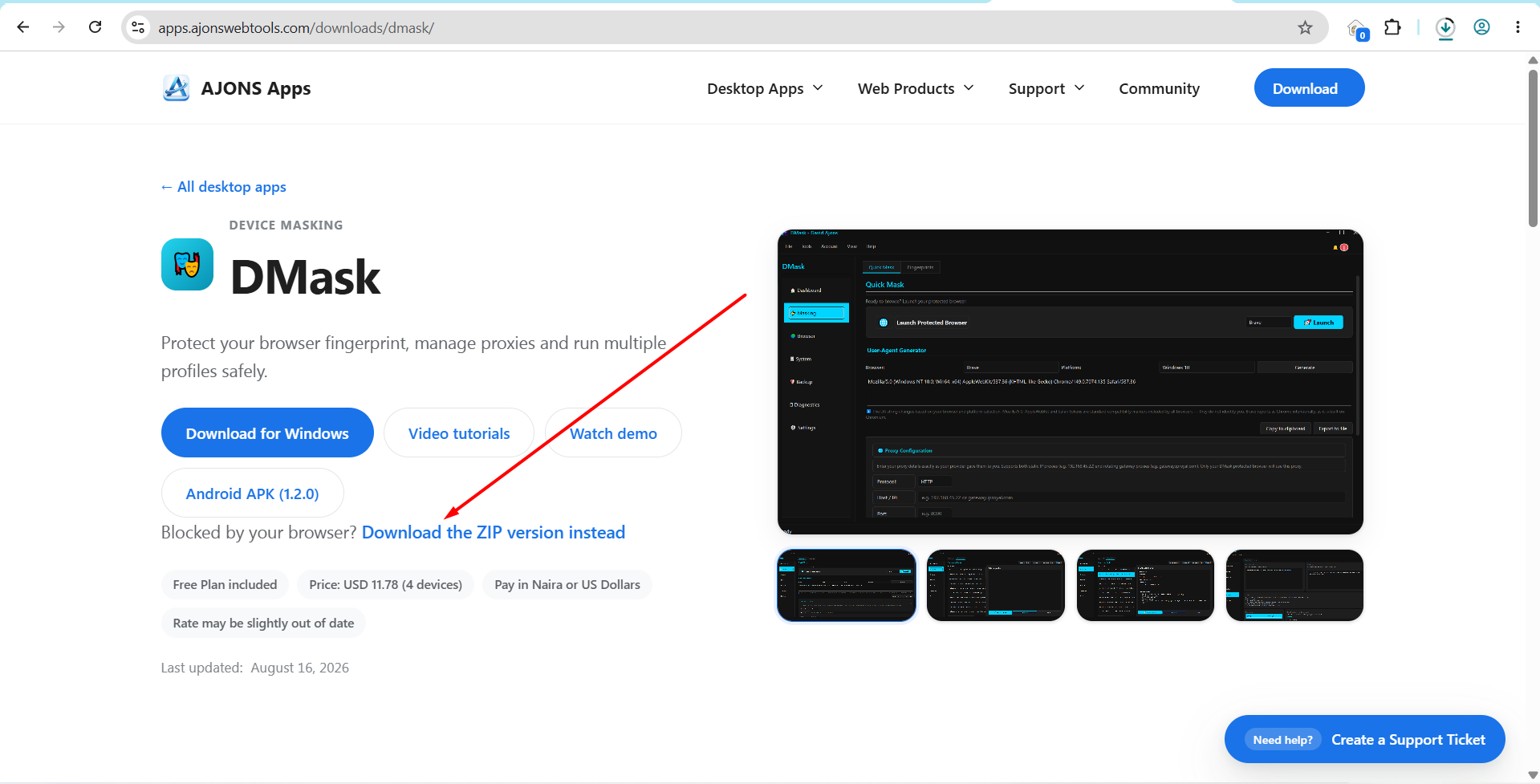
On every app download page there is a link directly under the download buttons:
"Blocked by your browser? Download the ZIP version instead"
That link gives you the exact same installer, packaged inside a ZIP archive. Chrome does not apply the same block to archives, so it downloads normally.
Download pages:
- DMask — https://apps.ajonswebtools.com/downloads/dmask/
- Fiverr Optimizer — https://apps.ajonswebtools.com/downloads/fiverr-optimizer/
- ClientScout — https://apps.ajonswebtools.com/downloads/clientscout/
STEPS
1. Open the download page for the app you want.
2. Click "Download the ZIP version instead".
3. Right-click the downloaded ZIP file and choose "Extract All".
4. Run the extracted .exe file and install as normal.
If Windows SmartScreen shows a blue "Windows protected your PC" screen after you run it, click "More info" and then "Run anyway".
ALWAYS DOWNLOAD FROM THE OFFICIAL PAGES
Please only download our apps from apps.ajonswebtools.com. Those pages always carry the latest build, so you get the current fixes instead of an older copy that someone re-shared elsewhere.
Code signing is on our roadmap and will remove these warnings entirely. Until then, the ZIP link is the reliable route.
Still stuck? Open a support ticket from any download page, or use Help → Contact Support inside the app.
https://i.ibb.co/HDwMkHR9/Download-the-ZIP-version.png

Chrome blocking your download? Use the ZIP link (DMask, Fiverr Optimizer & ClientScout)
No comments yet. Start the discussion.